

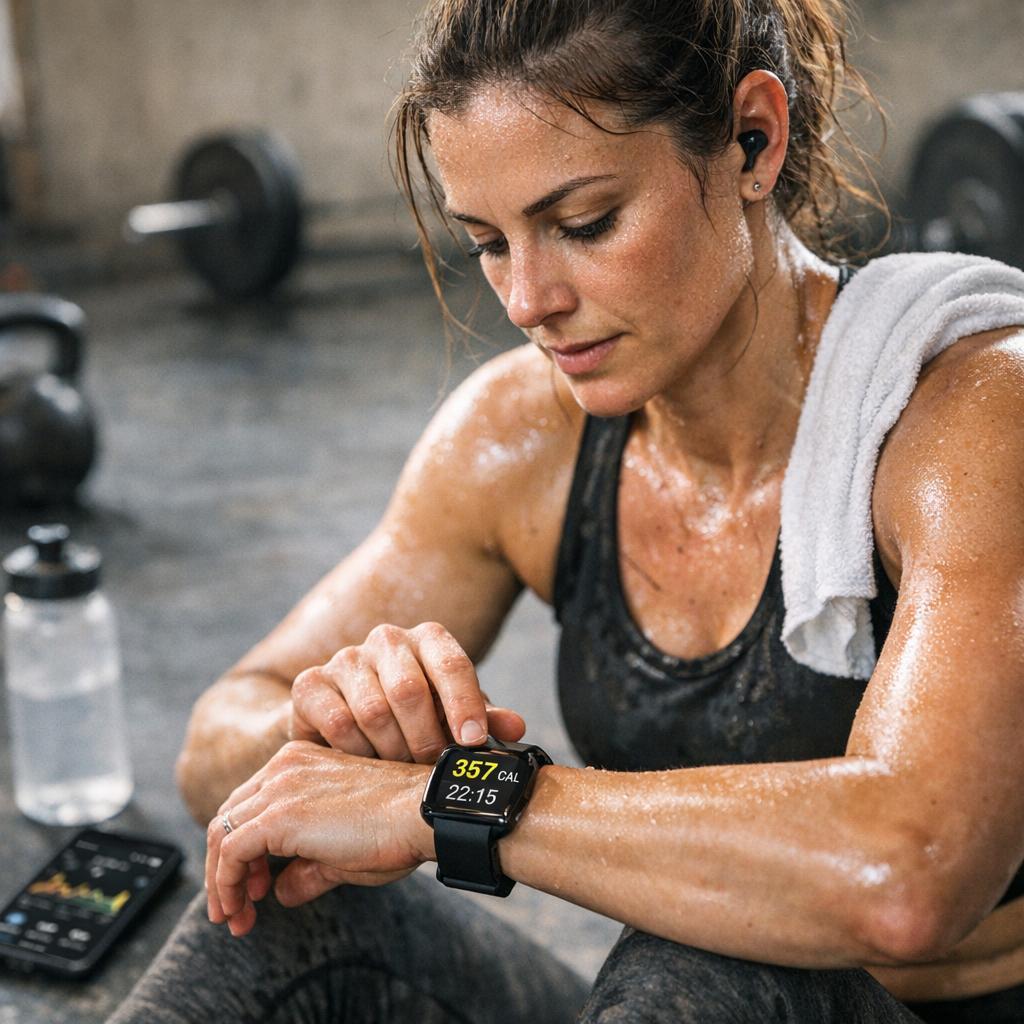
For decades, tracking fitness progress meant little more than stepping on a scale, eyeballing the mirror, or guessing how “hard” a workout felt. Today, tiny devices on our wrists, in our pockets, and even in our shoes are transforming that guesswork into data. Wearable technology—smartwatches,fitness bands,rings,and smart clothing—now offers a practical way to monitor calories burned,activity levels,and overall health in real time. Used intelligently, these tools can turn abstract goals like “get fitter” or “lose weight” into specific, measurable steps you can follow day by day.
Yet many people still wonder: How accurate are these devices? What do all these numbers—calories, heart rate zones, VO₂ max estimates, step counts—actually mean? And, most importantly, how can you use them to make consistent, meaningful progress rather than just collecting stats you never look at?
In this article, we’ll explore how wearables estimate caloric burn, what factors affect their accuracy, and which metrics matter most for tracking real fitness improvements. You’ll see how to interpret the data your device gives you and how to turn that information into clear, doable strategies for exercise, nutrition, and recovery.Along the way, we’ll address common pitfalls—like becoming obsessed with step counts or relying too heavily on calorie numbers—and show you how to use wearables as supportive guides, not rigid rulers.
Whether you’re just starting your fitness journey, returning after a break, or looking to fine-tune an already active lifestyle, you don’t need to be a data expert to benefit from this technology. With a little understanding and a bit of consistency, your wearable can become a powerful ally—helping you see your progress more clearly, stay motivated on tough days, and build sustainable habits that move you steadily toward your goals.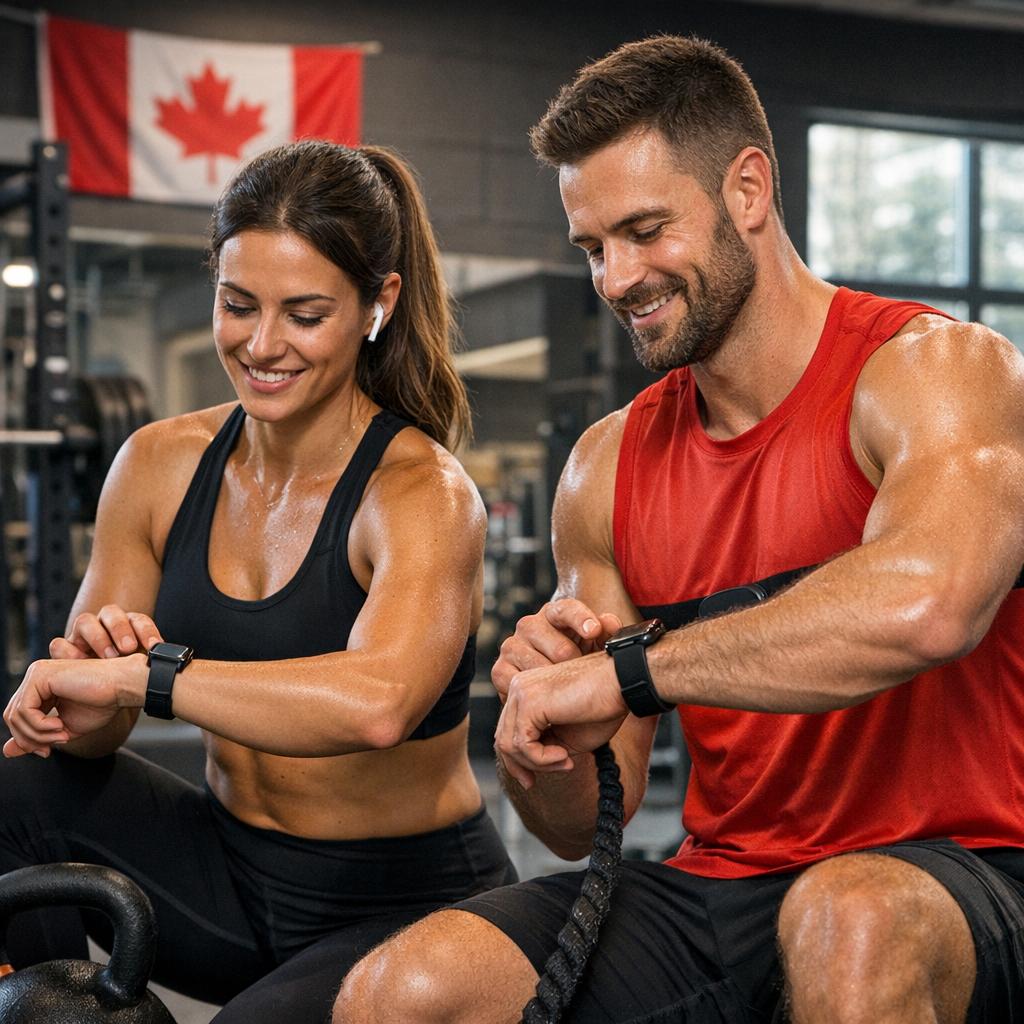
Choosing the right wearable device for accurate calorie tracking and activity monitoring
Finding a device that truly supports your goals starts with understanding your own habits and needs.If you’re primarily focused on accurate calorie estimates,prioritize wearables with continuous heart-rate monitoring,motion sensors (accelerometer and gyroscope),and—if you run,hike,or cycle—built-in GPS. These sensors work together to calculate your energy expenditure more precisely than simple step counters. Look for features like customizable activity profiles (e.g., strength training, HIIT, yoga), as generic “workout” modes can misclassify intensity and skew your burn numbers. It’s also worth checking whether the device uses your personal data (age, weight, height, sex, fitness level) to refine its algorithms and if it supports periodic fitness tests (such as VO₂ max estimates) for more tailored tracking over time.
Comfort and ecosystem matter just as much as tech specs. A wearable you forget to wear is the one that will never help you progress, so focus on a strap that fits well, a screen that’s easy to read mid-workout, and a battery that can handle your longest training blocks. Consider which platform you already use—Apple, Android, or a specific fitness app—and choose a device that syncs seamlessly, making it simple to analyse trends and share data with coaches or training groups. Look for:
- 24/7 wearability – light, sweat-resistant, and sleep-pleasant designs.
- Reliable app integration – exports to Strava, MyFitnessPal, Google Fit, apple Health, or your preferred training app.
- Rich activity metrics – heart-rate zones, recovery time, training load, and sleep quality.
- Custom alerts – pace, heart-rate, or movement reminders to stay on track all day.
| Goal | best Wearable Features | Why It Helps |
|---|---|---|
| Weight loss | Accurate HR, food app sync | Improves calorie in/out balance |
| Endurance training | GPS, VO₂ max, training load | guides pace and recovery |
| General health | Step goal, sleep tracking | Builds consistent daily habits |

Understanding how wearables estimate caloric burn and what those numbers really mean
Behind every calorie estimate your device displays is a blend of sensors, math, and educated guesswork. Most wearables use a combination of accelerometers (to detect movement), optical heart-rate sensors (to gauge how hard your body is working), and your personal data—such as age, weight, height, and sex—to feed algorithms that approximate energy expenditure. In simple terms, they’re constantly asking: “How much are you moving?” and “How demanding is this for your cardiovascular system?” From there, your wearable divides energy use into a baseline resting metabolic rate (RMR) and additional calories burned through activity. High-end devices sometimes refine this further with features like VO₂ max estimates and fitness level tracking, but at the core, it’s still modeled data, not a direct measurement.
- They’re best for trends – Daily and weekly patterns are usually more useful than any single number.
- They’re not lab equipment – Expect a margin of error; frequently enough ±10–20% from true burn.
- They assume “average” bodies – Unique physiology, hormone status, and muscle mass can skew results.
- They reward movement, not just workouts – Walking, cleaning, and fidgeting all add to your total.
| Metric | What Your Wearable Sees | What It Really Means |
|---|---|---|
| Active Calories | Movement + elevated heart rate above rest | Extra energy used on top of just being alive |
| Total Calories | Resting + active calories combined | Big-picture daily energy output estimate |
| Heart Rate Zones | How often and how long you’re in higher zones | Intensity pattern that shapes how many calories you burn |
Instead of chasing “perfect” accuracy,use these numbers as directional data to guide decisions. If your device shows your weekly average burn slowly increasing,you’re trending toward a more active lifestyle—even if the exact totals aren’t precise. When your goal is fat loss or improved fitness, what matters most is how your habits respond to the data: adjusting food intake relative to estimated burn, experimenting with different workout intensities, and noticing how your body feels over time. Treat your wearable as a smart, consistent estimator and accountability partner, not a calorie accountant that must be obeyed down to the last digit.
Setting realistic fitness goals using wearable data and turning metrics into daily habits
Start by translating the numbers your device gives you—calories burned, steps, active minutes, heart rate zones—into goals that actually fit your life, not someone else’s highlight reel. Instead of chasing arbitrary targets like “10,000 steps” or “1,000 calories burned,” anchor your goals to your current baseline. Track a typical week, then set small, precise upgrades such as: “Add 1,500 steps to my daily average,” or “Spend 10 more minutes in the moderate heart-rate zone three times a week.” These incremental shifts are easier to stick with and safer for your body. Use your wearable’s trends charts to adjust every 1–2 weeks: if you’re consistently overshooting a goal without fatigue,increase it slightly; if you’re constantly falling short,scale back and focus on consistency first. Over time, your data becomes more than numbers—it becomes a feedback loop that refines what “realistic” means for you.
Once your goals are set, embed them into your routine so they become almost automatic. Turn your key metrics into visual and behavioral cues you see daily:
- Steps: Tie extra walking to fixed events—after lunch, during calls, while commuting—so hitting your step count is “built in,” not a last-minute scramble.
- Active minutes: Use vibration alerts as movement prompts every 60–90 minutes; treat them like non-negotiable mini-meetings with yourself.
- Caloric burn: Pair high-burn days with higher-energy meals and recovery days with lighter activity,using your watch data to guide—not guilt—your choices.
- Heart-rate trends: Check morning resting heart rate twice a week to decide whether today is for pushing harder or backing off for recovery.
| Metric | Daily habit |
|---|---|
| Steps | Walk 5–10 minutes after each meal |
| Active Minutes | Schedule a 15-minute brisk walk break |
| Calories Burned | Match snacks to your lowest-activity days |
| resting HR | Check twice weekly before getting out of bed |
Optimizing workouts with heart rate zones step counts and training load insights from wearables
Modern wearables transform raw data into a personal performance dashboard, helping you dial in the intensity of every session. By paying attention to heart rate zones, you can distinguish between easy recovery efforts and those high-intensity bursts that spike caloric burn.syncing this with step counts reveals how active you truly are beyond the gym, painting a fuller picture of your daily movement and non-exercise activity. Training load metrics then complete the puzzle, indicating whether you’re building fitness, maintaining, or flirting with overtraining. Together, these insights empower you to tweak your pace, volume, and rest so each workout nudges you closer to your goals rather than simply adding more fatigue.
Rather of guessing,let your wearable guide your decisions using simple,trackable targets:
- Use heart rate zones to structure intervals,tempo runs,and recovery days for efficient caloric burn and endurance gains.
- Monitor step totals to keep baseline activity high, especially on rest days, supporting better weight management and overall health.
- Track training load trends to balance hard and easy days, reducing injury risk while steadily improving performance.
- Adjust weekly goals based on how your body responds, not just arbitrary numbers—let data inform, not dictate, your plan.
| Metric | Goal | Workout use |
|---|---|---|
| Heart Rate Zone 2 | 30–60 min | Build base, steady fat burn |
| Heart Rate Zone 4 | 10–20 min | Intervals, speed, high burn |
| Daily Steps | 8,000–12,000 | Maintain activity between workouts |
| Training Load | Moderate | Maximize progress, avoid burnout |
Interpreting long term trends in your wearable data to measure true fitness progress
Over weeks and months, individual workouts matter far less than the patterns they create in your wearable’s dashboard. Instead of obsessing over a single day’s calorie burn, zoom out and look at rolling 7–30 day averages for metrics like active calories, resting heart rate (RHR), and cardio load. A steady or slightly rising activity trend, paired with a gradual decline in RHR and more time spent in moderate heart-rate zones, often signals genuine cardiovascular improvement—even if your scale is stubborn. Watch for patterns such as:
- Downward trend in resting heart rate over 8–12 weeks (suggests better heart efficiency).
- Stable or lower body weight while your average daily burn creeps higher (indicates improved work capacity).
- Reduced perceived effort for the same pace or power at a similar heart rate (fitness gains, even if calories look unchanged).
- more consistent sleep and HRV alongside higher training volume (better recovery and adaptation).
| Metric | 4 Weeks Ago | Today (4-Week Avg) | Progress Signal |
|---|---|---|---|
| Resting HR | 68 bpm | 62 bpm | Improved cardio fitness |
| Active Calories | 400/day | 520/day | Higher daily activity |
| Sleep (hrs) | 6.2 | 7.0 | Better recovery window |
| HRV | 35 ms | 46 ms | Resilience to training |
Your goal is to connect these trends to how you look, feel, and perform so you can judge true progress, not just numbers. If your calorie burn is rising but your recovery metrics are crashing, that’s a sign to dial back intensity or add rest—not to push harder. conversely, if your burn remains similar but you’re lifting heavier, running faster, and your RHR is edging down, you’re getting fitter even if the charts aren’t screaming “more calories.” Let the data guide sustainable adjustments: add or remove weekly sessions based on long-term averages, not yesterday’s workout. Over time, those small, data-informed decisions compound into visible, measurable change.
Avoiding common mistakes with wearables and staying motivated when the numbers fluctuate
It’s easy to fall into a love–hate relationship with your wearable when the stats don’t match your expectations. A common trap is treating every calorie estimate as absolute truth rather of what it really is: an informed approximation. Different brands, sensors, and even band tightness can shift the numbers. Rather than chasing a single “perfect” calorie count, focus on patterns and trends over days and weeks. Cross-check key data points with how you actually feel: energy levels, hunger, sleep quality, and performance in workouts. Also avoid constantly switching modes or profiles “to get better numbers” — this only skews your ancient data and makes progress harder to read.
When your graphs dip or plateau, reframe the data as feedback, not a verdict. Use your wearable’s metrics to set flexible ranges instead of rigid targets, and celebrate consistency more than peaks. For example:
- Track weekly averages of active minutes instead of obsessing over a single off day.
- Pair calorie burn with non-scale victories like improved pace, more reps, or better sleep scores.
- Create small “streak goals” (e.g., 5 days of meeting step range) rather than all-or-nothing targets.
| Unhelpful Habit | Motivating Alternative |
|---|---|
| Checking calories after every snack | Reviewing totals once at the end of the day |
| Comparing your burn to friends | Comparing this week’s trends to last week |
| Panicking when numbers drop | Adjusting sleep, steps, or intensity for a few days |
Your Next Move
As wearables continue to evolve, they’re becoming far more than step counters or novelty gadgets—they’re turning into powerful, everyday tools for understanding your body, optimizing your efforts, and staying accountable to your goals. By learning how to interpret calorie burn estimates, pairing them with your nutritional intake, and tracking trends in your fitness data over time, you turn raw numbers into meaningful action.
Remember that no device is perfect. Your watch, ring, or band is offering an informed estimate, not an absolute truth. But when you use it consistently and thoughtfully, those estimates become incredibly useful signals. They can show you whether you’re actually moving as much as you think, how your workouts are progressing, how your recovery is trending, and whether your overall lifestyle is taking you closer to—or farther from—your goals.
To get the most out of your wearable:
– Treat daily numbers as data points, not verdicts on your “success” or “failure.”
– Focus on trends over weeks and months, rather than obsessing over single-day fluctuations.
– Combine what your wearable tells you with what your body tells you: your energy,sleep quality,mood,hunger,and performance.
– Adjust as you go. If your weight, strength, endurance, or body composition aren’t changing as expected, use the data to troubleshoot and refine your strategy.Progress in fitness is rarely linear. There will be strong days and off days, weeks were the metrics jump forward and weeks where they seem to stall. The value of your wearable is that it stays with you through all of it, quietly recording the story you’re writing with your daily choices.Those charts and graphs are simply a reflection of countless small decisions: taking the stairs, finishing that last set, going for a walk rather of scrolling on the couch, sticking to your sleep routine.
Use your device as a guide and accountability partner—not a judge. Let it nudge you to stand up, to hit your step goal, to close your activity rings, or to cool down when your heart rate says you need it.Celebrate the milestones it helps you spot: your highest weekly step count, your most consistent month of workouts, your improved resting heart rate or VO₂ max.
Most importantly, remember that the technology is there to serve you, not the other way around. The point isn’t to chase perfect numbers; it’s to build a healthier, stronger, more energetic life that you can actually enjoy.
Strap on your wearable,set one clear,realistic goal for the next few weeks,and start tracking with intention. As you gather more data, you’ll get better at understanding what works for your body—and that knowledge is one of the most powerful tools you can have in your fitness journey.
🔗 Related on Steroids Canada